Why do nodes and edges sometimes look rather simple?
Questions & AnswersSummary
yFiles' viewer framework is able to switch between high-detail and low-detail rendering strategies.
Description
yFiles' realizer classes EdgeRealizer and NodeRealizer are responsible for providing implementations of the two strategies. Method
public void paint(Graphics2D)public void paintSloppy(Graphics2D)Graph2DView's paintDetailThreshold property determines when to use the "regular" high-detail rendering and when to switch to sloppy painting. By default, for zoom levels below 30% sloppy painting is used. (Setting this property to 0 effectively disables sloppy painting.)
| Regular, i.e. high-detail, rendering of standard yFiles node realizers: |
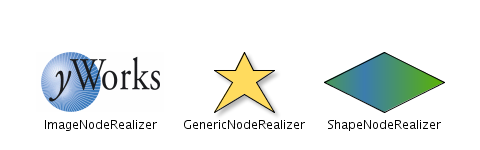
|
| Sloppy, i.e. low-detail, rendering of the above node realizers: |
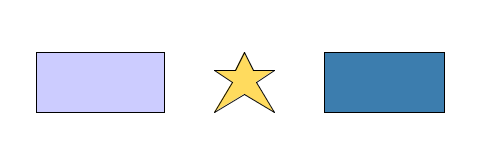
|
| Regular rendering of standard yFiles edge realizers: |
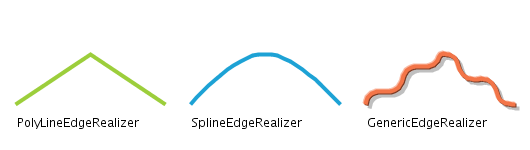
|
| Sloppy rendering of the above edge realizers: |
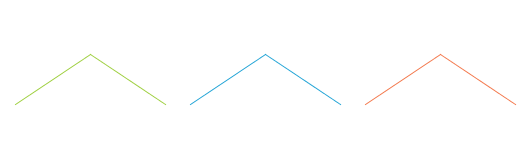
|
Categories this article belongs to:
yFiles for Java > yFiles Viewer > Displaying and Editing Graphs > Realizer-Related Features
Applies to:
yFiles for Java 2: 2.4, 2.5, 2.6, 2.7, 2.8, 2.9, 2.10, 2.11, 2.12, 2.13, 2.14, 2.15, 2.16, 2.17, 2.18
Keywords:
rendering - sloppy - sloppy painting - paintDetailThreshold - setPaintDetailThreshold - getPaintDetailThreshold