How to Avoid Unexpected Anti-Aliasing Rendering Effects with Edges
Tips & TricksSummary
Description
Depending on the zoom level, anti-aliased rendering of edges in edge groups that are routed in an orthogonal manner can lead to visual inconsistencies.
The following figures show the same graph at different zoom levels: 100% and 120%, respectively.
When zoomed in, some of the edges appear thicker than they actually are due to the way anti-aliased rendering works.
In situations where there are edges in a graph that use different thicknesses to indicate importance (weight) of a connection, for example, such rendering artifacts can be misleading.
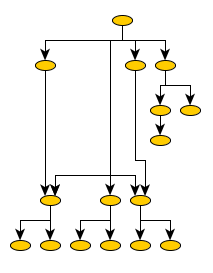

In order to get consistent edge rendering at different zoom levels, you can use an edge realizer that explicitly disables anti-aliased rendering.
The following code snippet shows a custom GenericEdgePainter implementation that is used with GenericEdgeRealizer to accomplish selective non anti-aliased rendering.
/**
 * Configures an edge realizer that explicitly turns off anti-alias rendering.
 * The edge realizer is then set as the default edge realizer for the view's graph.
 */
protected void configureDefaultRealizers() {
  super.configureDefaultRealizers();

  GenericEdgeRealizer.Factory factory = GenericEdgeRealizer.getFactory();
  Map cnfg = factory.createDefaultConfigurationMap();
  cnfg.put(GenericEdgeRealizer.Painter.class, new GenericEdgePainter() {
    protected void renderPath(EdgeRealizer context, Graphics2D gfx,
                              GeneralPath path, boolean selected) {
      Object oldValue = gfx.getRenderingHint(RenderingHints.KEY_ANTIALIASING);
      gfx.setRenderingHint(RenderingHints.KEY_ANTIALIASING, RenderingHints.VALUE_ANTIALIAS_OFF);

      super.renderPath(context, gfx, path, selected);

      if (oldValue == null) {
        gfx.getRenderingHints().remove(RenderingHints.KEY_ANTIALIASING);
      }
      else {
        gfx.setRenderingHint(RenderingHints.KEY_ANTIALIASING, oldValue);
      }
    }

    public void paintSloppy(EdgeRealizer context, BendList bends,
                            GeneralPath path, Graphics2D gfx, boolean selected) {
      Object oldValue = gfx.getRenderingHint(RenderingHints.KEY_ANTIALIASING);
      gfx.setRenderingHint(RenderingHints.KEY_ANTIALIASING, RenderingHints.VALUE_ANTIALIAS_OFF);

      super.paintSloppy(context, bends, path, gfx, selected);

      if (oldValue == null) {
        gfx.getRenderingHints().remove(RenderingHints.KEY_ANTIALIASING);
      }
      else {
        gfx.setRenderingHint(RenderingHints.KEY_ANTIALIASING, oldValue);
      }
    }
  });
  factory.addConfiguration("NoAntiAliasing", cnfg);

  final GenericEdgeRealizer ger = new GenericEdgeRealizer("NoAntiAliasing");
  ger.setTargetArrow(Arrow.STANDARD);
  view.getGraph2D().setDefaultEdgeRealizer(ger);
}